Copy Text From Image in Firefox on macOS

Today I learned that if you right click on an image in Firefox on macOS (and only on macOS), you can “Copy Text From Image“. This does what it sounds like: macOS has a system to recognize text in flat/static images like JPEGs and PNGs. You can also select text in flat images in the macOS Preview.app and QuickLook image previewer to copy the text.
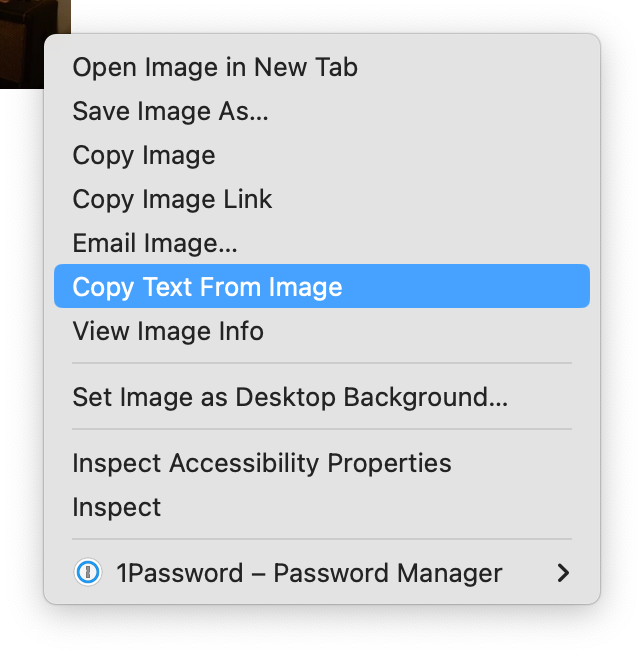
Screenshot of a right-click context menu in Mac OS showing many options including Open Image in New Tab and with the item Copy Text From Image highlighted.


One thought on “Copy Text From Image in Firefox on macOS

  1. This is generally true of images almost everywhere on a Mac. And the text is often “actionable”: web addresses can be clicked, telephone numbers called, contacts added from photos of business cards.

Leave a Reply

Your email address will not be published. Required fields are marked *

To respond on your own website, enter the URL of your response which should contain a link to this post's permalink URL. Your response will then appear (possibly after moderation) on this page. Want to update or remove your response? Update or delete your post and re-enter your post's URL again. (Find out more about Webmentions.)