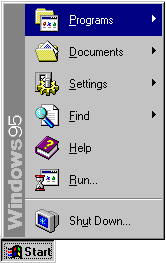
We don’t often think of Windows 95 as a shining example of user interface design and usability. It was slow on the hardware of the day, it crashed often, and many of its claimed “innovations” were copied from Apple and others.
All of that said, Windows 95 was a big leap for visual user-interfaces at the time. Even if it didn’t break new ground in design, it was significant if only because it brought many of the visual user-interface design innovations of the previous decade to a massive audience.
I was a huge geek/dork, still in high-school, at the time of Microsoft’s development Windows 95. I was one of thousands who paid $49.95 to order a special preview of Windows 95, which was still code-named “Chicago” at the time. Yes, that’s right, I paid for a beta. I can still remember, it came on 37 floppy disks (seriously).
Both Microsoft and their Windows product-line are often considered lumbering behemoths, often with justification. It is surprising to learn that the design process at Microsoft that led to such interface staples as the Start Menu and the window-list task-bar grew out of a small team (approximately twelve people, with another twelve programmers for implementing designs).
The Windows 95 user interface design team used an iterative design process where they would come up with an idea, build a quick/rough implementation, and try it out on users. Then, based on how people fared using the design, they would try again. Rinse, lather, repeat.
This process proved that basic design intuition is often wrong:
“Our first design idea for making window management easier was not very ambitious, but we weren’t sure how much work was needed to solve the problem. The first design was to change the look of minimized windows from icons to “plates”. (See Figure 6.) We hoped that the problem would be solved by giving minimized windows a distinctive look and by making them larger. We were wrong!”
All of this comes from a case study on the interface design of Windows 95. The phrase “We were wrong!” shows up several times in the document. The case study is a fascinating look into what went on, for better or for worse, to be one of the most widespread user interfaces in the history of computing.
Thanks to David Feldman for his article on file browsing in Linux that pointed out this Microsoft case study.