It’s easy to romanticize the medium of our youth. I’m too young to miss vinyl; for me vinyl means Nana Mouskouri’s Christmas album. No one really misses cassettes; except maybe for mix tapes, which we mostly loved because of how much work we put into them. CDs are also hard to lament. They were never very portable; it seemed to take 10 years to develop a portable CD player that didn’t skip. Mostly, though, they were digital. There is really no difference between CD audio and a similarly configured audio file on any other digital medium.
When technology advances, we often realize that we miss the things that were flaws in the previous generation of devices. We miss the warm crackle of vinyl. We miss the sense of accomplishment from hours spent painstakingly crafting the perfect mix tape.
Now that we are awash in the glut of availability of digital music, I’ve come to realize that I’m missing one of those flaws. When I could only afford to buy one CD, I was stuck with it. I would listen to it until I knew every word and every chord.
Now that I have so much music at my disposal, even when I do find music I enjoy, it’s often enjoyed on “Random” or while I work, where my attention is spread far too thin. As a result, I seldom get to the level of familiarity with an album that I did ten years ago. I might get there with a single song, but seldom an entire album.
I do not assume that listening to the same album until it’s burned into your head is inherently better than a more cursory listen to a broader selection. However, familiarity is one of the fundamental elements that makes music something more than just sound. Our brains are good at spotting patterns, and we like completing patterns. Great artists use familiarity as one of their instruments to hack the brain into thinking notes, chords, and rhythms are playful, unexpected, or satisfying.
The deeper you know a piece of music, the greater the opportunity to enjoy it. Each note means something different when you know its coming.
So, I’m trying to artificially re-create a limitation that caused me to get to know a limited number of albums deeply. The limitations used to be accessibility and (mostly) cost. This year, I’m creating my own limitation. Each month, I’m choosing one album to focus on. It won’t be the only thing I listen to, but it will be the first thing I go to each time I start up some music. I’ll also listen to the entire album, in order, each time I’m looking to listen to a long stretch of music.
I’m curious to see if there is any more joy to be squeezed out of music by concentrating on a small set of albums this way.
Last year, without any such regime, I did end up enjoying a few albums this at this level: Fantasies by Metric, Far by Regina Spektor, Welcome to the Night Sky by Wintersleep, Three by Joel Plaskett, Into Your Lungs by Hey Rosetta!, Read Less Minds by Mardeen, and a few others.
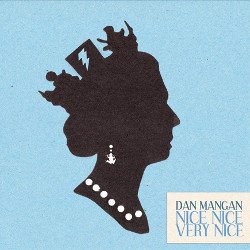
The albums I’ll choose for each month won’t be the best albums of the year (many I might not have heard at all before I choose them, as was the case when buying albums 10 years ago). For January, I have chosen the album Nice, Nice, Very Nice by Dan Mangan.
It’s a good way to start the experiment. It’s a good album, but not something I would count among my all time favourites. If it had been one of a dozen albums I was listening to, I would never have gotten as much enjoyment out of this album as I have in the past few weeks.
I have eleven more albums to go this year. I will certainly include the upcoming release from Wintersleep. Suggestions for other albums are welcome.