I’m not sure where this photo came from originally (beyond space, that is). It was passed on to me via email and I thought it might serve those who don’t know where Acts of Volition lives and be of interest to those who do. If anyone knows the origin of the image, please let me know.
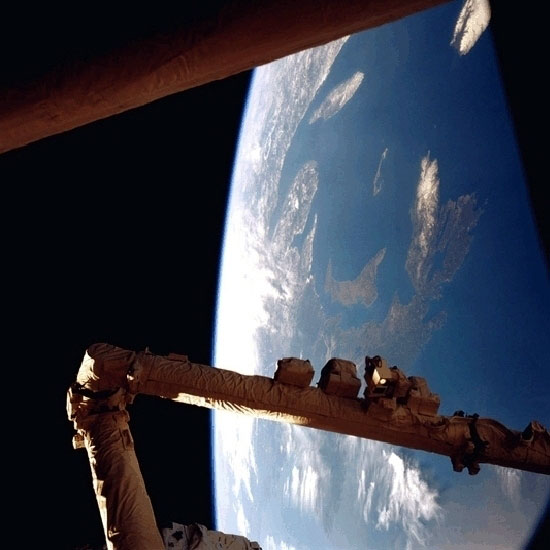
The pointed-crescent-shaped island roughly in the middle of the photo is Prince Edward Island, our island province of Canada. Our Island is wrapped by Nova Scotia and Cape Breton on the south and the east. New Brunswick, Québec’s Gaspe Penisula, and the mouth of the St. Laurence river frame us from the west and north-west. In the top right you can see the south-western tip Newfoundland.
For those that still aren’t oriented, Boston would be somewhere near the center of the very bottom of the photo.
I suspect those arms in the foreground are those of our soon-to-be robot overlords.
 My friend