There are relatively few great little improvements to desktop computing interfaces in recent years. One that I’ve particularly enjoyed is the searchable menus in macOS.
On any macOS app, open the Help menu and start typing. For example if you want the Connect to Server… feature in the Finder app, hit Help, start typing “conn…” and use the arrow keys and Enter key to choose the menu item.
This is particularly useful in complex applications, like Photoshop, that can have hundreds of nested menu items.
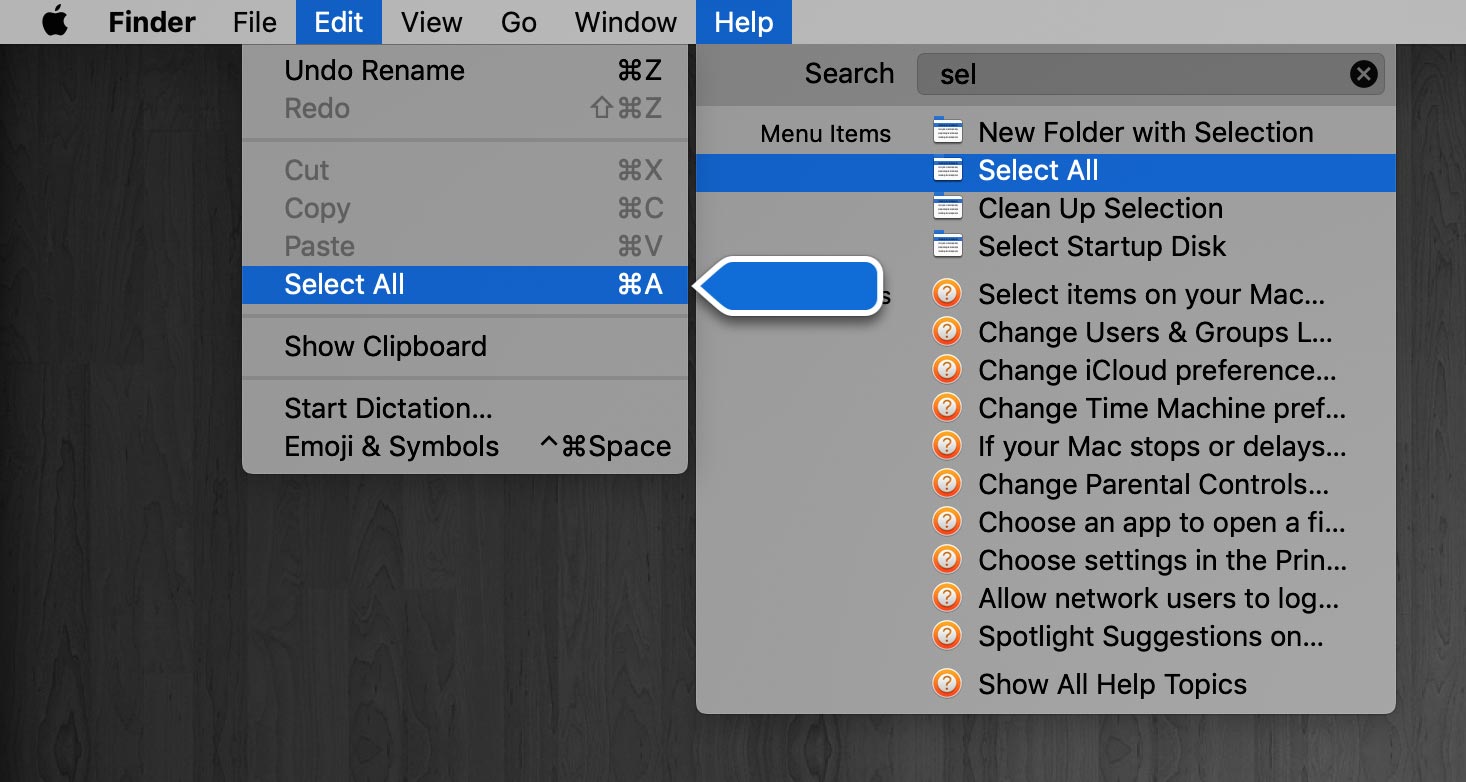
Update: As Antonio points out in the comments, there’s a keyboard shortcut for this (Shift–Command–?). I never knew! Thanks, Antonio.
The best part of it is if you access the help search input field from the keyboard shortcut (Shift–Command–?) so you can keep typing whatever you’re looking for without even reaching for the mouse.
Antonio: Thank you! I didn’t know about this keyboard shortcut. You have just made a small improvement in my quality of life.
Gimp has something like this since version 2.10 on all OS:
https://www.gimp.org/release-notes/gimp-2.10.html#search-system
And it is really a useful feature.