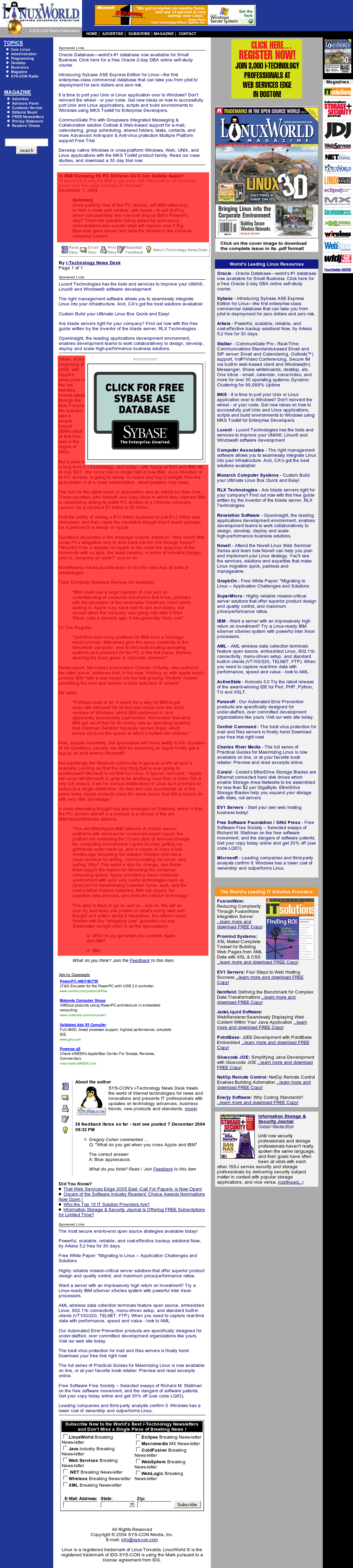
I came across an article on LinuxWorld.com today that was so buried in other site features and advertising, that I had to share it.
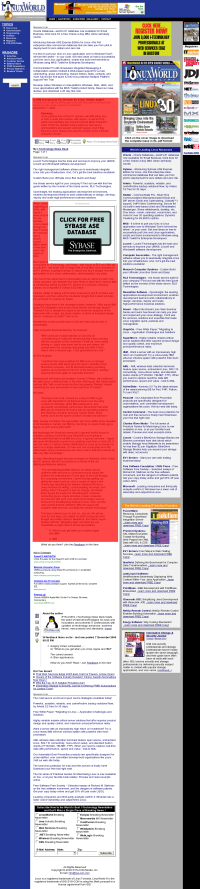
This full-size screenshot (1.5MB) shows the full length of the page, with the actual article text highlighted in red. This smaller version gives a good feel of how much of the page is used for the actual article.
The website also offers a printer-friendly version of the article that is much easier to read, but even the printer version has an animated Flash advertisement.
I never did get around to reading the article.
Things like this really bug me. I really love how they feal that the printer friendly version still needs a Flash ad. I hate to say it, but that’s why I use Adblock. Until sites like this get their act together I won’t visit a second time.
BTW, what do you use to take a screen capture of the whole site?
Richard, yeah – I’m sure adblock would help – but even if it hid most of that page, it would still be absurd.
I took a bunch of screenshots and pasted them together – kind of a pain. There are utilities to do it though (I know there is a Mac OS X one and a Mono/Mozilla linux one).
Recommended:
Adblock with the latest filter from
Filterset.G
does wonders!
Even with AdBlock the site is pretty grotesque and nowhere near legible.
It’s a shame! Maybe they’re going for total ads displayed, because I can’t imagine anyone clicking on anything on that mess (well, except for accidental click, when you confuse an ad for actual content)
You’re right. Adblock doesn’t help at all. It removes the ads, but the site is still difficult to read. Honestly, how do the editors of that site expect people to read that without giving up and leaving? I wonder if they would even read the content on their own site. Having a couple of ads is fine and understandable to bring in revenue, but one should not have hunt around the page for real for being there in the first place.
I did some searching last night and I came upon a program called SnagIt. It runs on Windows, not sure about the Mac. But it has a cool scroll feature. It will actually automatically scroll the window till it cannot go further or you stop it and take a one big screen shot. Prety neat.
Ooops. Typos.
I meant to say “…but one should not have to hunt around the page for real reason of being there in the first place.” Sorry.
Jeff Veen found an even more ridiculous example a few months ago.
NukeAnything is the FF extension for clearing page clutter. When you first start using it, it seems like you must point the mouse cursor perfectly before right-click, “Remove this object.” It’s hard to know which DOM object you’re pointing at, and I’d often kill the wrong one. (Yes, there are favelets that’d help, but that’s getting ridiculous.)
What really makes NukeAnything sing is when you first select/highlight the offending page elements, then right-click on the selection. Then “Remove selection” is available. The page re-flows into the cleared space. Ta-da!
Steven, I know you prefer Gnome, but what Linux distro are you running these days? I’m cashing-in FC3 (RedHat) for Ubuntu (Debian) as I write this. Ubuntu’s Debian-centric, no KDE installed by default — though you can certainly add it, individual K-apps. What prompted me to make this move was discovering how much quicker Gnome 2.8 runs *from the Ubuntu live CD* than from my HD-installed FC3. Night and day on the old Athlon 750mhz box I use for this stuff. Once I’m booting from disk I expect big performance improvements.
What are you using lately?
Err, “Ubuntu’s Gnome-centric”
Forgotten link: NukeAnything
And in case this post draws any Ubuntu users — and because I just spent a day getting it tweaked — let me commend the excellent Unofficial Ubuntu 4.10 Starter Guide. Concisely addresses most new-install issues.
LQ
Yeah, Adblock rules. Just go there with adblock… 🙂
Yeah. I’ve taken to calling these “eyeball-friendly” rather than “print-friendly.” The New York Times site also has a lot of text competing for your attention. I have a hard enough time without the ads: my Alt+Tab hand gets twitchy after a few seconds even when the page isn’t flashing ad banners and swooshing about.